iTunes Match and the Podcast Playlist Problem
EDIT: Whoop! Looks like YouOverRotated’s comment below was spot-on. Thanks! See my new post on how that suggestion got my playlist syncing working again.
Oh, iTunes. Does it have to be this way?
So, I now have iTunes Match, with all of its associated Cloudy goodness. But I also have a problem. Can anyone help me solve it?
Here’s the circumstances:
- I like listening to podcasts on long journeys in my car.
- My car, a Mini, has an iPod connector in the glovebox, which is therefore where my iPhone lives while I’m driving.
- My car’s iPod connector makes certain playlists available through the buttons on the stereo. Specifically, if I have a playlist called “MINI1_whatever”, it’s selected when I press button 1; “MINI2_*” is available on button 2, and so on.
- My MINI4_Special playlist is my favourite playlist for long journeys. It’s a (non-Smart) playlist I pre-fill with podcasts that I want to listen to while I’m driving. I specify which podcasts, and the order I want to hear them.
Up until iCloud started raining on my parade, this all worked fine. Before I drove anywhere, I’d fire up iTunes, fill up MINI4_Special with the podcasts I wanted in the order I wanted, sync my iPhone, and it would all be there and waiting for me when I plugged the phone into the car and pressed button 4. If I fancied listening to music for a while, I could press another button to listen to another playlist, then later hit “4” again and go back to the podcasts.
But now — disaster!
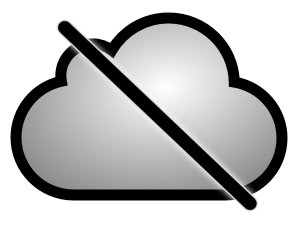
I paid my £21.99 for iTunes Match, and turned on the iCloud stuff on my Mac and my iPhone. And now I can’t sync my MINI4_Special podcast playlist with the iPhone any more. In iTunes, the playlist has a little sad picture of a cloud with a line through it. It tells me:
This playlist is not eligible for iCloud. iCloud playlists can only contain music. “MINI4_Special” contains other media types, and will not be uploaded.
And I can’t for the life of me find any way of getting the playlist back. No matter what I do, it won’t sync to the phone.
Did I just pay Apple £21.99 to shoot myself in the foot? Am I being dumb? Bueller? What am I missing? All help gratefully received.
10 Comments
klyonrad
December 16, 2011Please complain fucking hard at the apple support about this. And request your money back (not as an iTunes gift card shit).
Tell them that they (Apple) fucking pushed the podcasts and should stop abandoning them.
This is the point where their not-caring about podcasts should be punished.
scherem
December 18, 2011I had a similar problem to you. Solution was to disable Match on the iOS device, then resync it.
From my understanding:
The problem is that podcasts aren’t supported by music match. When you have the match service enabled on your iOS device, it uses all the information from the cloud (including your playlists).
Since podcasts aren’t being put in the cloud, playlists that use them aren’t being put in the cloud, and aren’t appear when you turn on the service.
The ideal solution from apple would either be:
‑put podcasts in the cloud
‑let hybrid devices exist (i.e. let the iOS use local synced data and cloud data). They are half way there with keeping the podcasts on the device, just need to enable the playlist.
YouOverRotated
December 21, 2011I was in the same exact situation, except mine’s a BMW, not a Mini =). I found that if you disable podcast syncing, do a sync, and then re-enable podcast syncing and sync again, your podcast playlists will come back. I hope that works for you too.
Matt
December 21, 2011Excellent, I’ll try that and reply with an update if it works for me. Thanks for the suggestion.
It might even be exactly the same iPod connector, bearing in mind BMW owns MINI, of course…
Matt
December 24, 2011Spot on! Thanks, YouOverRotated! I’ve created a new post describing how your workaround worked for me. :D
@jeffscott
December 23, 2011Same problem here! Please do let us know if this proposed workaround works. :)
Happy holidays!
Matt
December 24, 2011Hi Jeff! Yup, looks like that solution works. I’ve posted a complete description of exactly what I did to follow this workaround, and how it worked out for me.
iTunes Match and Podcast Playlists: A Fix! | Gothick.org.uk
December 24, 2011[…] my last post, I described the problems I was having syncing manual podcast playlists between iTunes and my iPhone after I upgr.… Well, it looks like I got an early Christmas present from YouOverRotated, who commented: I was in […]
macitark
October 9, 2012Does this mean the podcasts themselves are being pushed to the cloud and streaming to the iOS device? Or do podcasts have to be stored locally (i.e., this workaround enables the “Hybrid” situation described above)?
Matt
October 9, 2012This enables the “hybrid” solution — podcasts will be synced with local iTunes (either wired or using iTunes wifi sync.)